ATO
Australian Taxation Office
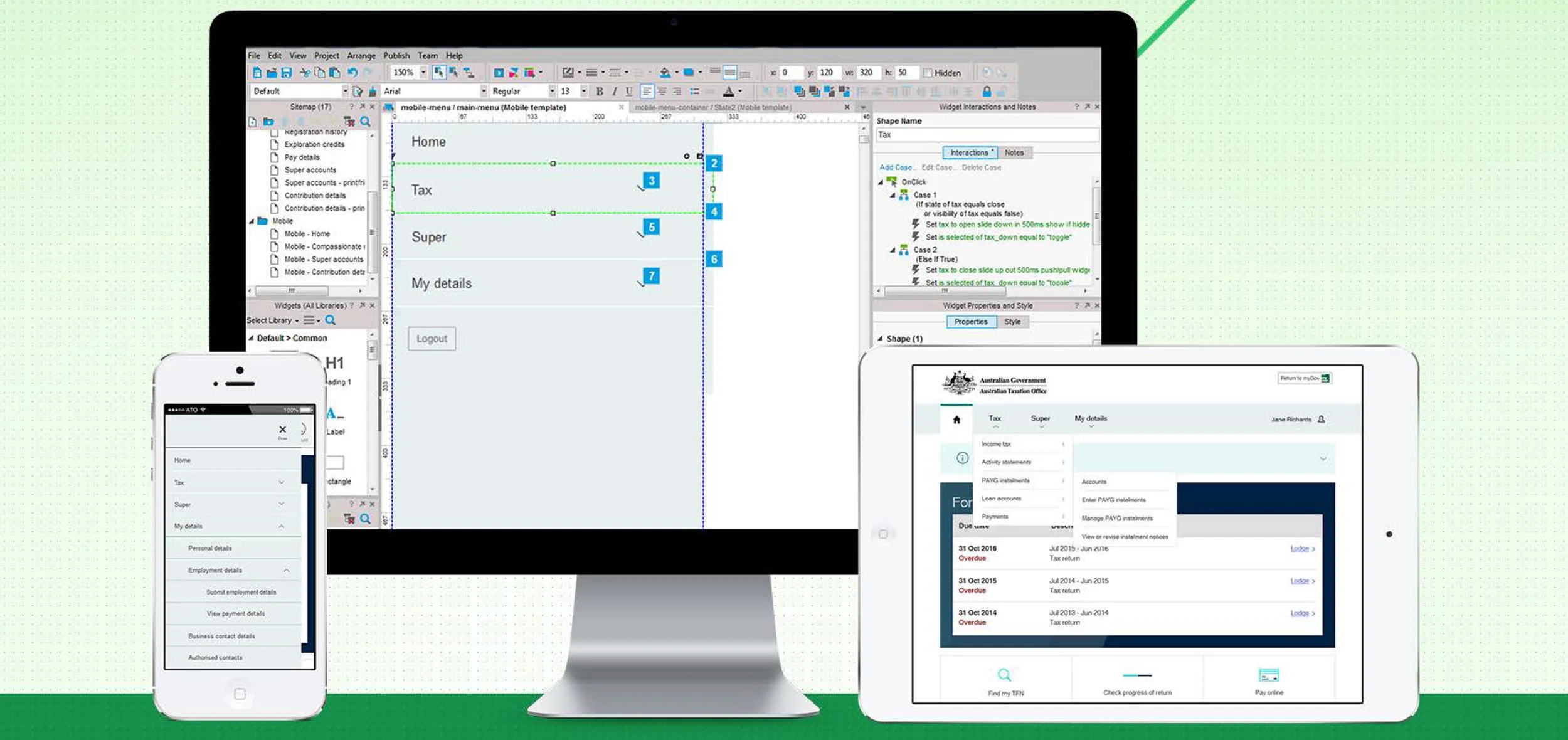
Have you ever wondered how the behind the scenes magic happens with ATO online- which is used by millions of Australians daily? Well Wonder no more! My very first project was as a UI Designer contracted as part of a small creative team at the ATO in Brisbane. I developed most of my Stakeholder management skills in this role working in an Agile SAFe environment with a very mixed team of seniority. Design specifications were outlined by the ATO and it was my role to very rapidly prototype changes using Axure deliver iterations for the business to approve with short turn around times. The prototypes which I created were high fidelity from the start and would be used for user testing using the ATO's state of the art voice activated camera and eye tracking facilities. I have worked across ATO Online, Business Portal and Super Clearing house for personal & business users. As a side project I helped advocate Agile rollout throughout the ATO with Agile HQ which was part of the ATO's Intranet portal, for which i received an award.
Superclearing house
While ATO online had been a long running and successful product, I started the Superclearing house product from scratch. The end users would be small businesses who managed their own payroll and paid super into employees accounts.
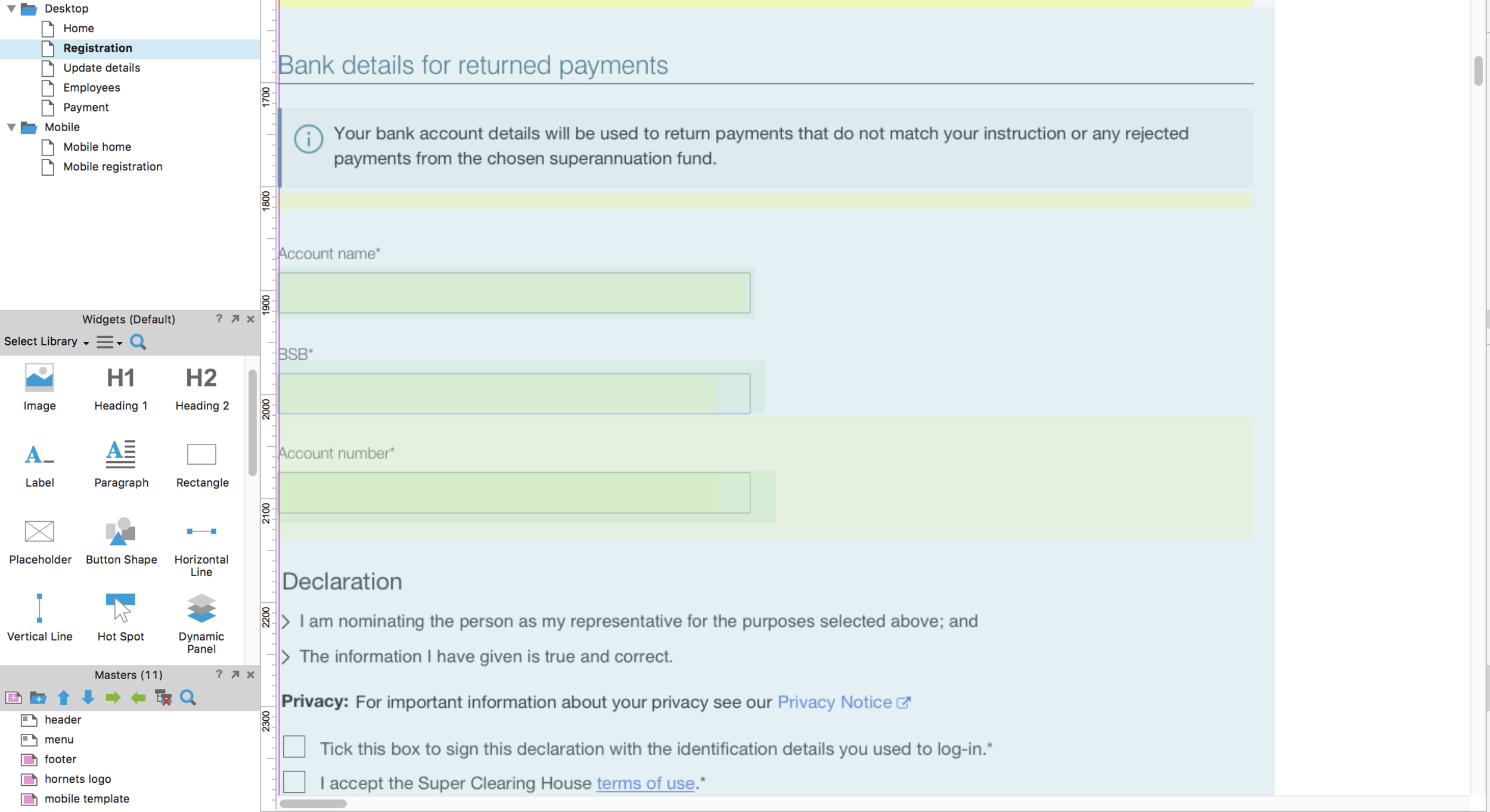
Axure was used for high fidelity prototyping & iterations were made directly into this prototype.
Hidden panels (yellow) were prototyped as animations for drop downs from chevrons.
Hot spots were used within dynamic panels for interactivity so users could click into each input field and the hotspot would hide a white rectangle hiding text underneath - which in turn revealed pre-filled text.
Dynamic panels
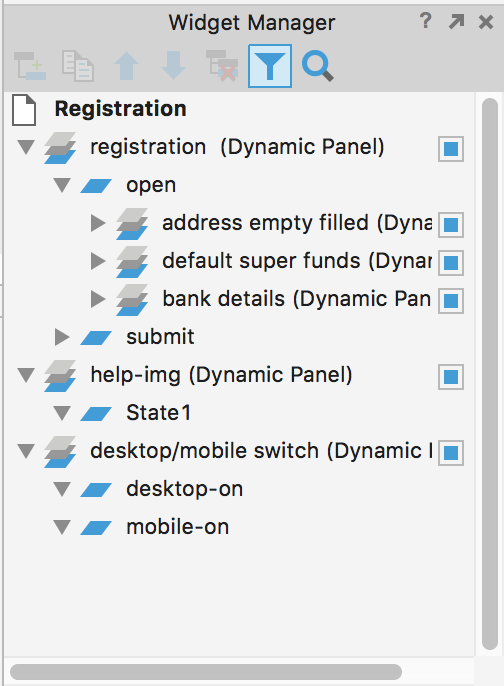
Green covering full page above- were used in 3 ways:
1. To switch out chunks of empty fields with pre-filled ones for user testing
2. To change a section of a page that a user sees based on the selection they have made out of 2 or more options while keeping the rest of the page the same.
3. To switch between Mobile and Desktop view for the same page.
The panel states can be seen here to display different states of the "registration" screen.